Forum Archive. A read-only snapshot of the Warfare Incorporated forums (2003–2020), preserved for historical purposes.  ·  warfareincorporated.com
Warfare Incorporated Forum

PM Box Access from Game
Author Message
N104
Administrator


Joined: 24 May 2012
Posts: 1382
Location: Pennsylvania
 Post Posted: Wed Dec 11, 2013 5:53 am  Post subject: PM Box Access from Game

A great enhancement to add would be the ability to send and receive forum PMs from the game. If you let your game account logged in (you don't press sign out when you get off) you could get notifications from the Warfare Inc app saying you got a PM.
This would be useful since the forums are made to be used on a desktop, and it's hard to use them on a small iDevice. It would also get players involved with PMing, and might get them active on the forums later on.

I have a few ideas on how forum PM access in the game would work, so stay posted and I'll post some screenshots :)
galm
ForeRunner


Joined: 18 Oct 2009
Posts: 2382
Location: New York
 Post Posted: Wed Dec 11, 2013 1:40 pm  

Interesting idea, how would you code it?
N104
Administrator


Joined: 24 May 2012
Posts: 1382
Location: Pennsylvania
 Post Posted: Wed Dec 11, 2013 1:59 pm  

galm wrote:
Interesting idea, how would you code it?
Did I volunteer to code it? :P

I'm not sure how it would be coded. First we'd have to figure out how it's to work. I have two ideas how it could work. The one idea (would require an app update) would be to have a "mail" button somewhere in the app. It would be more user friendly (it would have buttons and all that). Another idea (might not require an app update) would be to somehow link it with chatroom commands. Like you could type /pms to get a list of your PMs.

I'll post pictures of both of my ideas as soon as I have time to make them.
N104
Administrator


Joined: 24 May 2012
Posts: 1382
Location: Pennsylvania
 Post Posted: Thu Dec 12, 2013 12:29 pm  

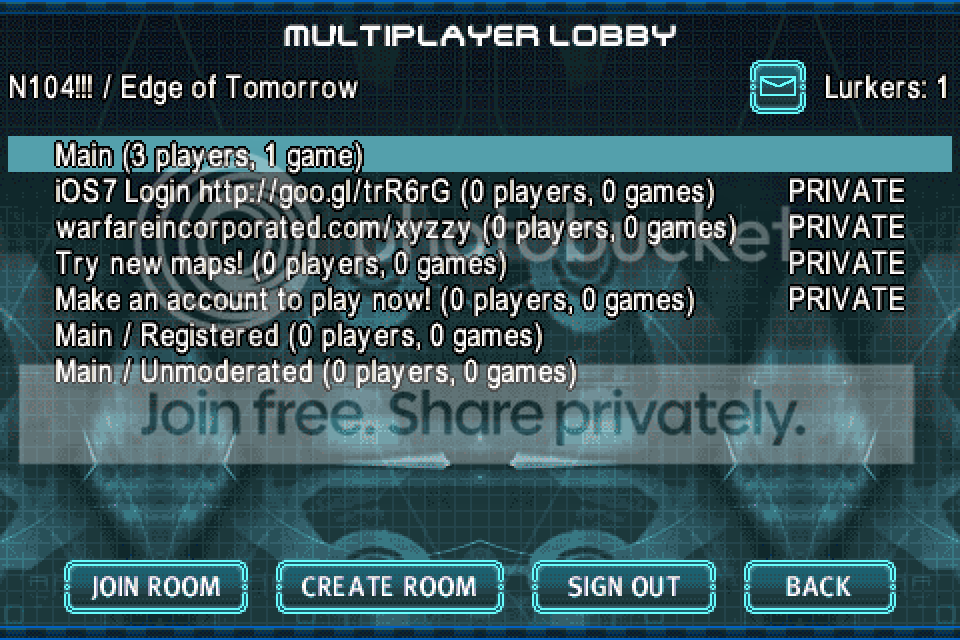
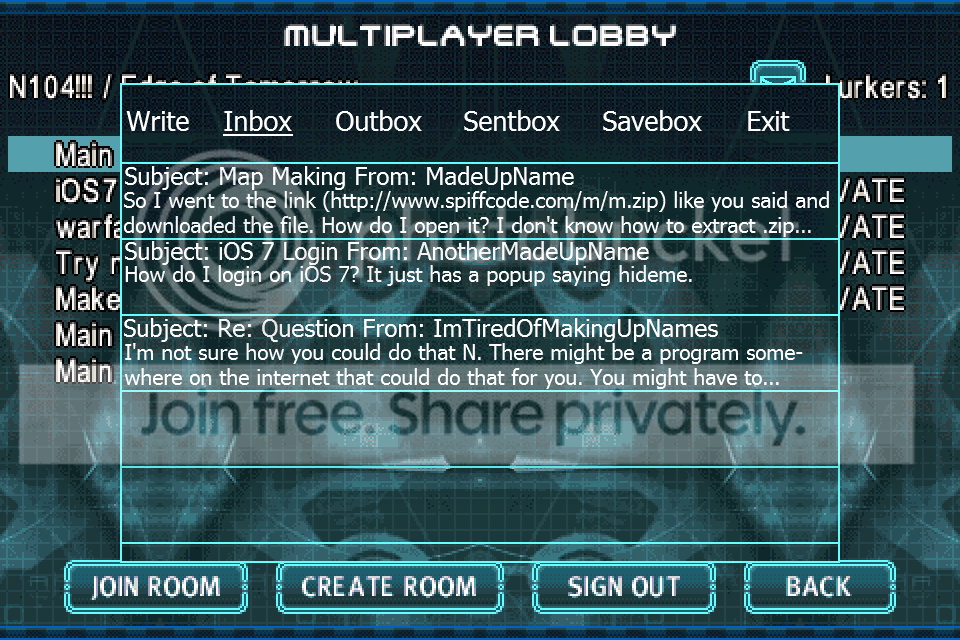
Here's my first two pics. In Image one, nothing looks different other than the mail button in the upper right. When That button is pressed, Image 2 will be what you'd see. There's tabs at the top to switch between Inbox, Sentbox, Outbox, and Savebox. The exit tab will exit the 'PMbox in game' window, and the write tab will allow you to write a message. Image 2 shows a few messages in the inbox. It shows a preview of the message (first two lines) as well as the subject and who it's from. To see the rest of the message you must tap it.

Image 1


Image 2
N104
Administrator


Joined: 24 May 2012
Posts: 1382
Location: Pennsylvania
 Post Posted: Thu Dec 12, 2013 4:17 pm  

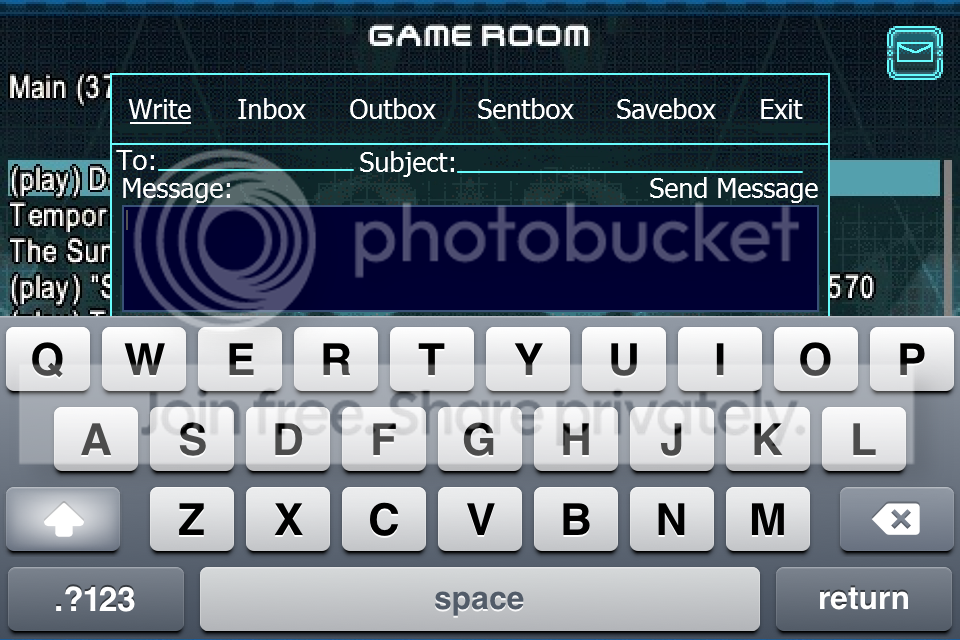
Here's a pic of how the tab for writing a message could look like.