| Author |
Message |
N104
Administrator

Joined: 24 May 2012
Posts: 1382
Location: Pennsylvania
|
 Posted: Wed Aug 07, 2013 7:26 am Post subject: Enlarge Mini-Map / Hide Mini-Map Posted: Wed Aug 07, 2013 7:26 am Post subject: Enlarge Mini-Map / Hide Mini-Map |
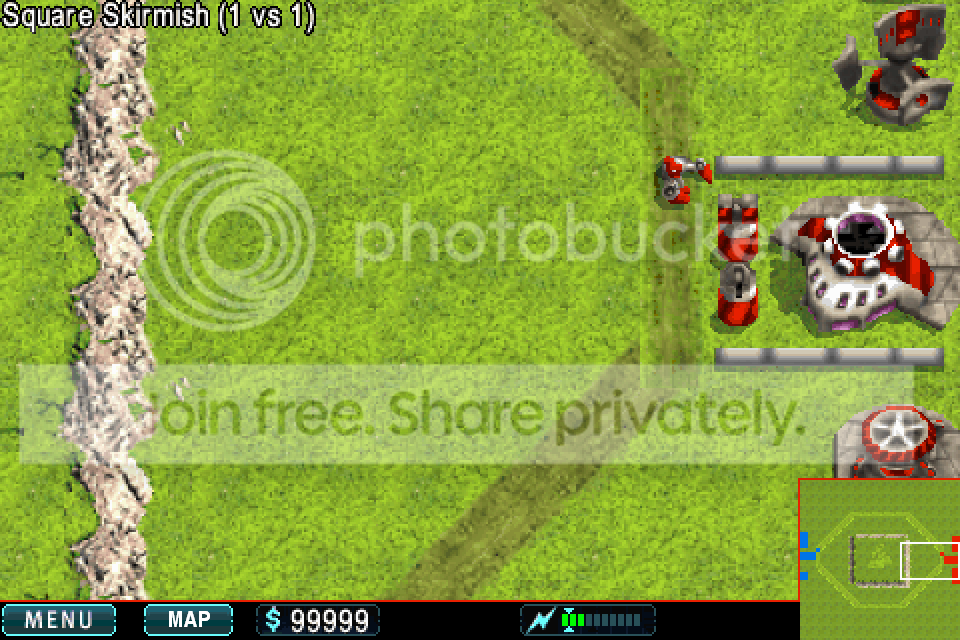
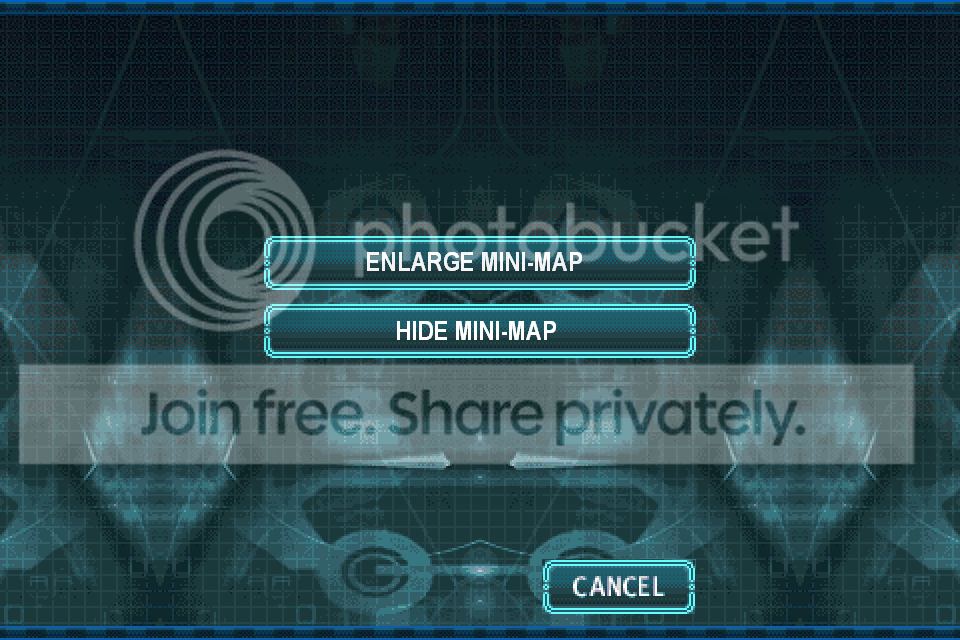
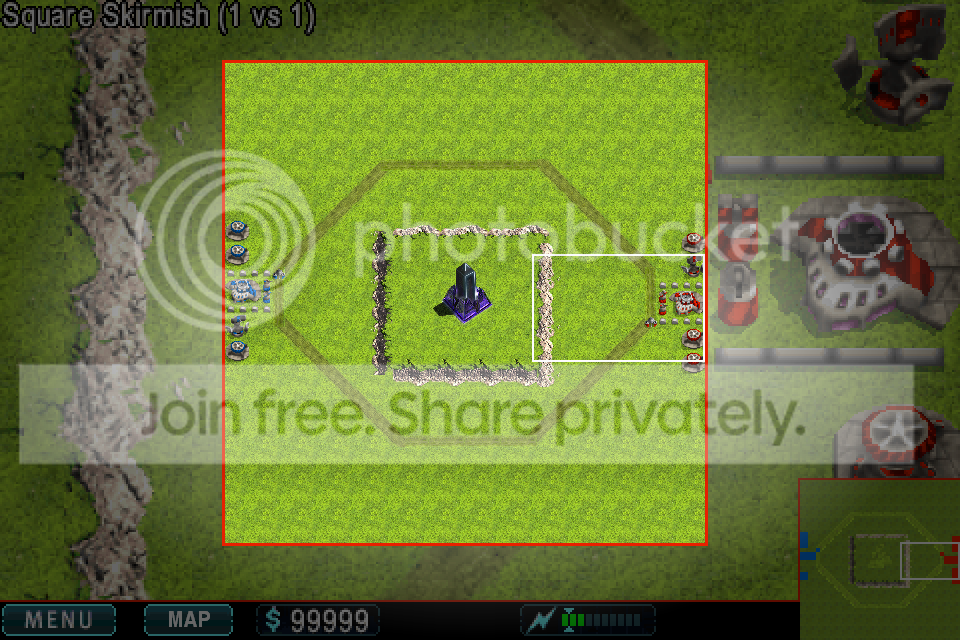
Lets have an option to enlarge the mini-map. It would allow players to view the map 'zoomed out'. Players could also move around the 'enlarge mini-map' and zoom in and out but not play the game on it.
Here's some pictures. The map button would bring up the menu.
 |
|
Yoshiya
Mega-Poster

Joined: 16 Jun 2012
Posts: 308
Location: right here
|
| Posted: Wed Aug 07, 2013 7:29 am |
this could also be useful for taking images of am entire game  |
|
sidekick
Established Forum User

Joined: 24 Jun 2010
Posts: 91
|
| Posted: Wed Aug 07, 2013 6:46 pm |
This would be sweet and I also wish we could hav spectators that could record the games and take pictures.
|
|
Yoshiya
Mega-Poster
Joined: 16 Jun 2012
Posts: 308
Location: right here
|
| Posted: Wed Aug 07, 2013 7:16 pm |
yea i wish you could just be an observer and watch the game the whole time...
|
|
N104
Administrator
Joined: 24 May 2012
Posts: 1382
Location: Pennsylvania
|
| Posted: Wed Aug 07, 2013 7:19 pm |
Yoshiya wrote: yea i wish you could just be an observer and watch the game the whole time... That's been discussed before. Many players don't want it because people could see their strategy and how they build. Getting off topic, maybe the hoster of the map could choose wether or not to allow observers. |
|
trineroks
Chief Administrator

Joined: 16 Oct 2009
Posts: 1770
Location: Southern Cali (UCLA)
|
| Posted: Wed Aug 07, 2013 9:59 pm |
A separate window for minimap controls can easily get too cumbersome and distracting. Instead, there should be a button on the taskbar right next to the minimap with the zoom in/zoom out arrows (like the button in iOS Safari that allow you to hide/show the taskbar in landscape mode).
|
|
N104
Administrator
Joined: 24 May 2012
Posts: 1382
Location: Pennsylvania
|
| Posted: Thu Aug 08, 2013 6:29 am |
trineroks wrote: A separate window for minimap controls can easily get too cumbersome and distracting. Instead, there should be a button on the taskbar right next to the minimap with the zoom in/zoom out arrows (like the button in iOS Safari that allow you to hide/show the taskbar in landscape mode). If you zoomed in on the mni-map, how would you move your zoomed in view around? |
|
trineroks
Chief Administrator
Joined: 16 Oct 2009
Posts: 1770
Location: Southern Cali (UCLA)
|
| Posted: Thu Aug 08, 2013 10:22 am |
You'd drag your finger across the enlarged minimap, of course.
|
|
N104
Administrator
Joined: 24 May 2012
Posts: 1382
Location: Pennsylvania
|
| Posted: Thu Aug 08, 2013 12:55 pm |
trineroks wrote: Instead, there should be a button on the taskbar right next to the minimap with the zoom in/zoom out arrows From what you said, I get the impression you would just be able to zoom in/out with the current mini map.
trineroks wrote: You'd drag your finger across the enlarged minimap, of course. If I got the correct impression on the top quote, then how would this work ('this' is in reference to the bottom quote)? Currently, dragging around on the mini-map will move your 'birds eye view' camera. |
|
trineroks
Chief Administrator
Joined: 16 Oct 2009
Posts: 1770
Location: Southern Cali (UCLA)
|
| Posted: Thu Aug 08, 2013 6:59 pm |
Let me rephrase zoom in/zoom out. I meant enlarge/shrink.
When you tap the button right next to the minimap, it will enlarge and a larger version of the minimap (Tactical map, as I'd like to call it) will pop up in the middle of the screen. Tap the same button again and it will shrink back to the regular minimap.
|
|
N104
Administrator
Joined: 24 May 2012
Posts: 1382
Location: Pennsylvania
|
| Posted: Thu Aug 08, 2013 7:03 pm |
trineroks wrote: Let me rephrase zoom in/zoom out. I meant enlarge/shrink.
When you tap the button right next to the minimap, it will enlarge and a larger version of the minimap (Tactical map, as I'd like to call it) will pop up in the middle of the screen. Tap the same button again and it will shrink back to the regular minimap. Ohhhh! Now I understand. That would be cool. |
|
Read-only historical archive — rebuilt from the original phpBB 2 database.
Forum software © 2001-2008 phpBB Group. Posts © their respective authors.
Warfare Incorporated © 2003-2026 Spiffcode, Inc.



